

Add vehicles and choose mileage rates
Add each vehicle you drive for the business, choose its deduction method, and record the odometer readings that make the year provable.
Reports
Add vehicles and choose mileage rates
Add each vehicle you drive for the business, choose its deduction method, and record the odometer readings that make the year provable.
Updated Sep 10, 2026 · 5 steps · 1 min read
Add the vehicle
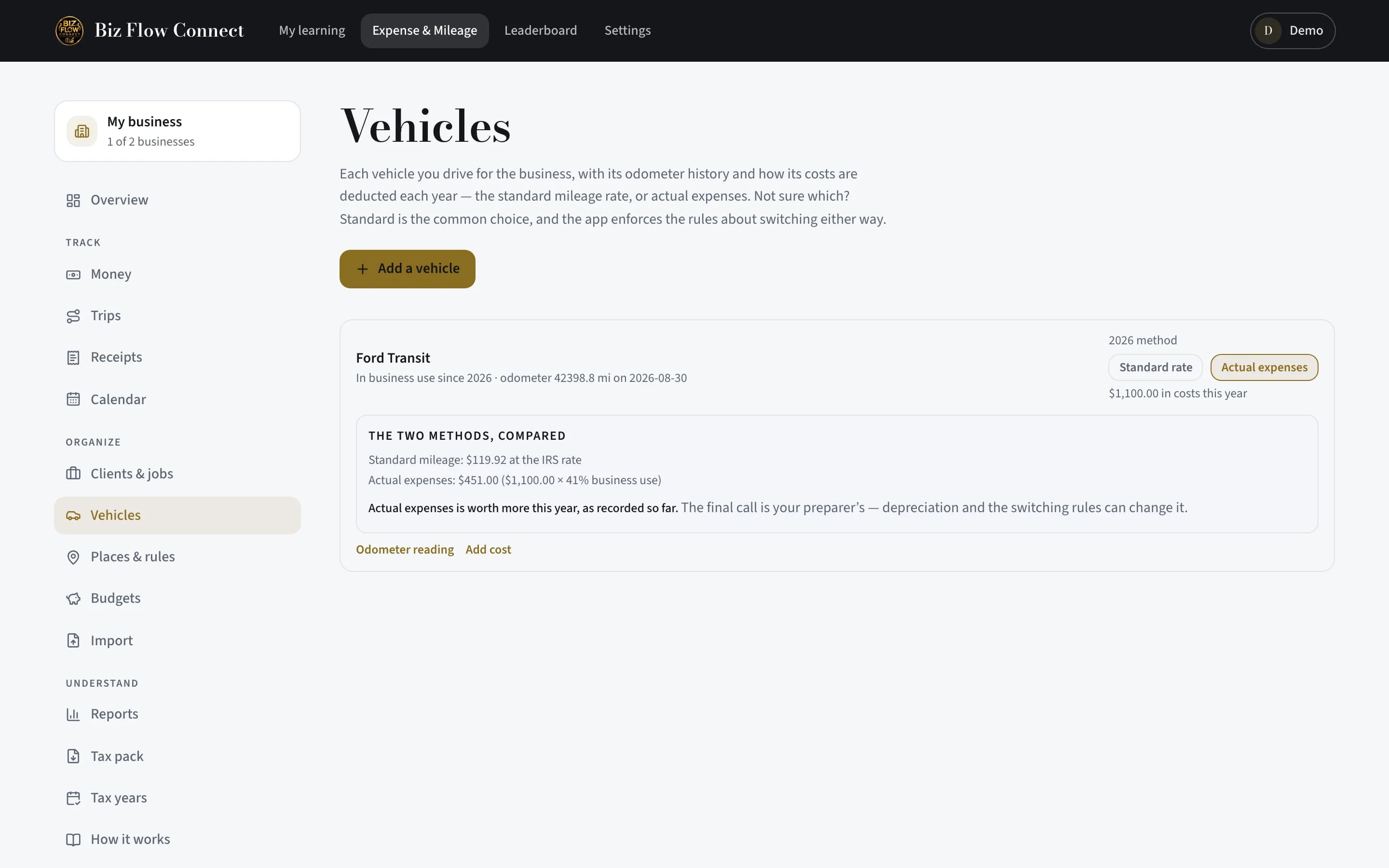
Open "Vehicles" from the More tab (or the web’s Vehicles page). Give it a name you will recognize in a list and today’s odometer reading, then tap "Add vehicle". That day-one reading is what makes the year-end reconciliation possible.
Choose its method for the year
Tap "Method ›" on the vehicle and pick "Standard mileage" — a flat IRS rate per business mile — or "Actual expenses", the business share of real running costs. Standard is the common choice.
Record the year’s boundary readings
Tap "Record ›" next to "Year odometer readings" and enter the odometer on 1 January and 31 December (either one alone is fine until you have both). These two numbers are what prove the year’s total mileage.
Put the vehicle on your trips
Pick the vehicle on the trip form when you record or confirm a drive. The tax pack then shows total miles, business miles, and the business-use percentage per vehicle — the details the forms ask for.
Rates are built in
The IRS standard mileage rates are loaded on the server, and each trip is valued at the rate in force on that trip’s own date — including years where the rate changed mid-year. You never type a rate.
Still stuck?
Email supportRelated guides
Start with the MasterClass
Practical, educational instruction for entrepreneurs and business professionals — with every deliverable, policy, and access period stated before you buy.