

Record a trip manually
Track a drive with the live stopwatch on your phone, or type a trip in after the fact on the phone or the web.
Tracking drives
Record a trip manually
Track a drive with the live stopwatch on your phone, or type a trip in after the fact on the phone or the web.
Updated Sep 10, 2026 · 5 steps · 1 min read
Track a drive live
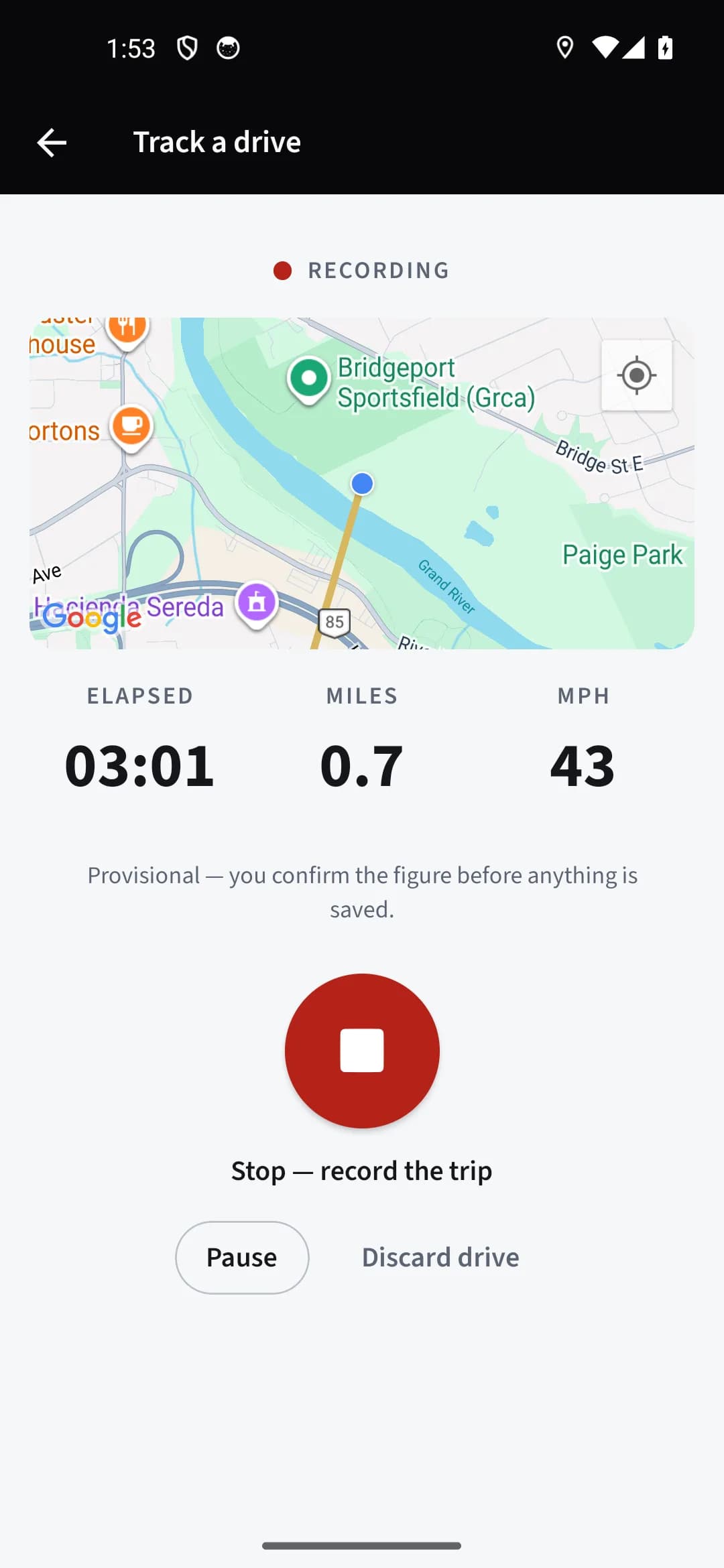
From Home or the Trips tab, tap "Track a drive". Tap "Start tracking" when you pull out — allow location if asked, and the screen stays awake while the drive runs. You see the elapsed time, miles so far, and your route drawn on a map. "Pause" and "Resume" handle stops along the way.
Stop and record
When you park, tap "Stop — record the trip", then "Record trip". The trip form opens with the measured miles, times, and route filled in as a suggestion — nothing is saved until you confirm it.
Or type it in on the phone
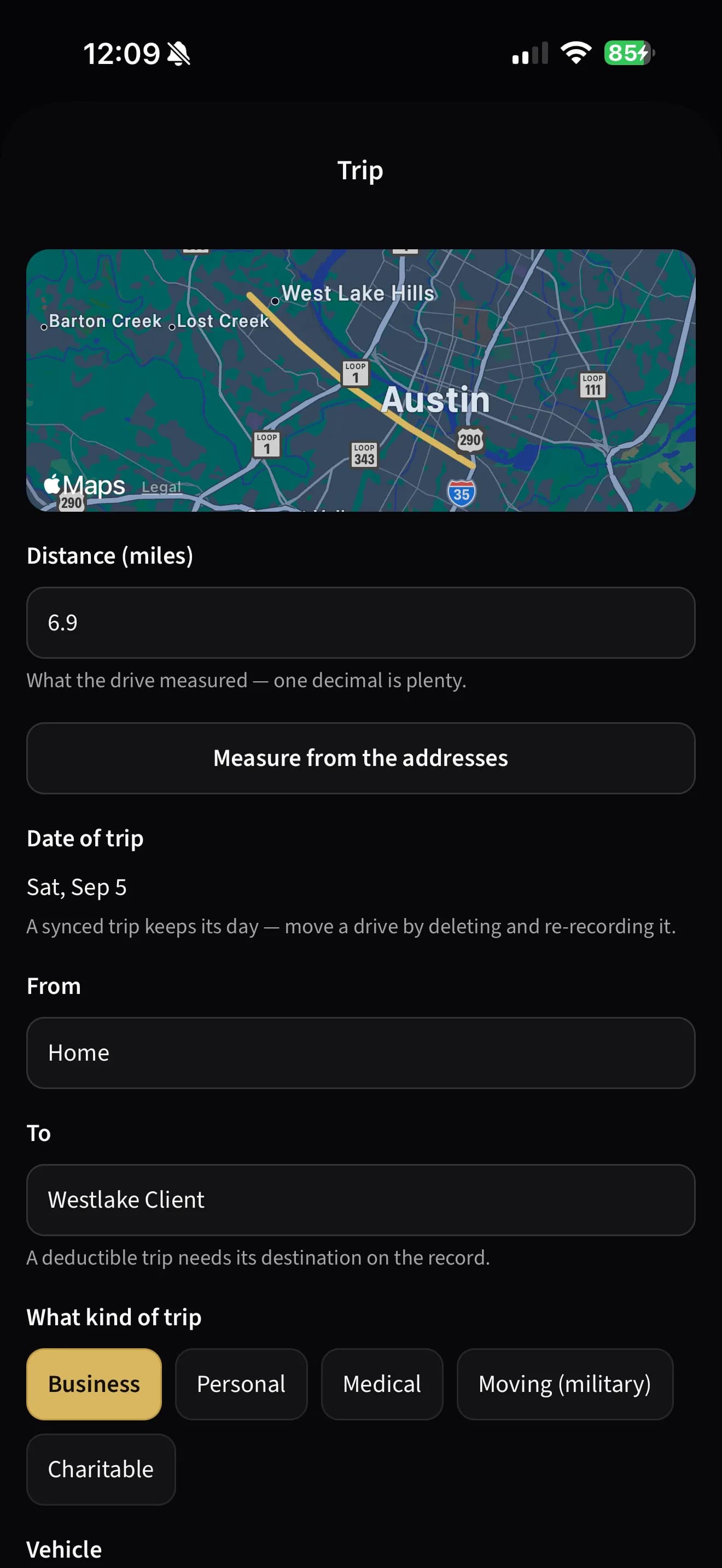
For a drive that already happened, tap "Record trip" on the Trips tab. Enter the distance as "Miles", or switch to "Odometer" and give the start and end readings. With From and To filled in, "Measure from the addresses" fills the miles from the road route for you to check.
Complete the record
Pick what kind of trip it was, the vehicle, and the job if it belongs to one. A business trip needs its business purpose — the form will not save one without it, because the record is incomplete without the why.
Or type it in on the web
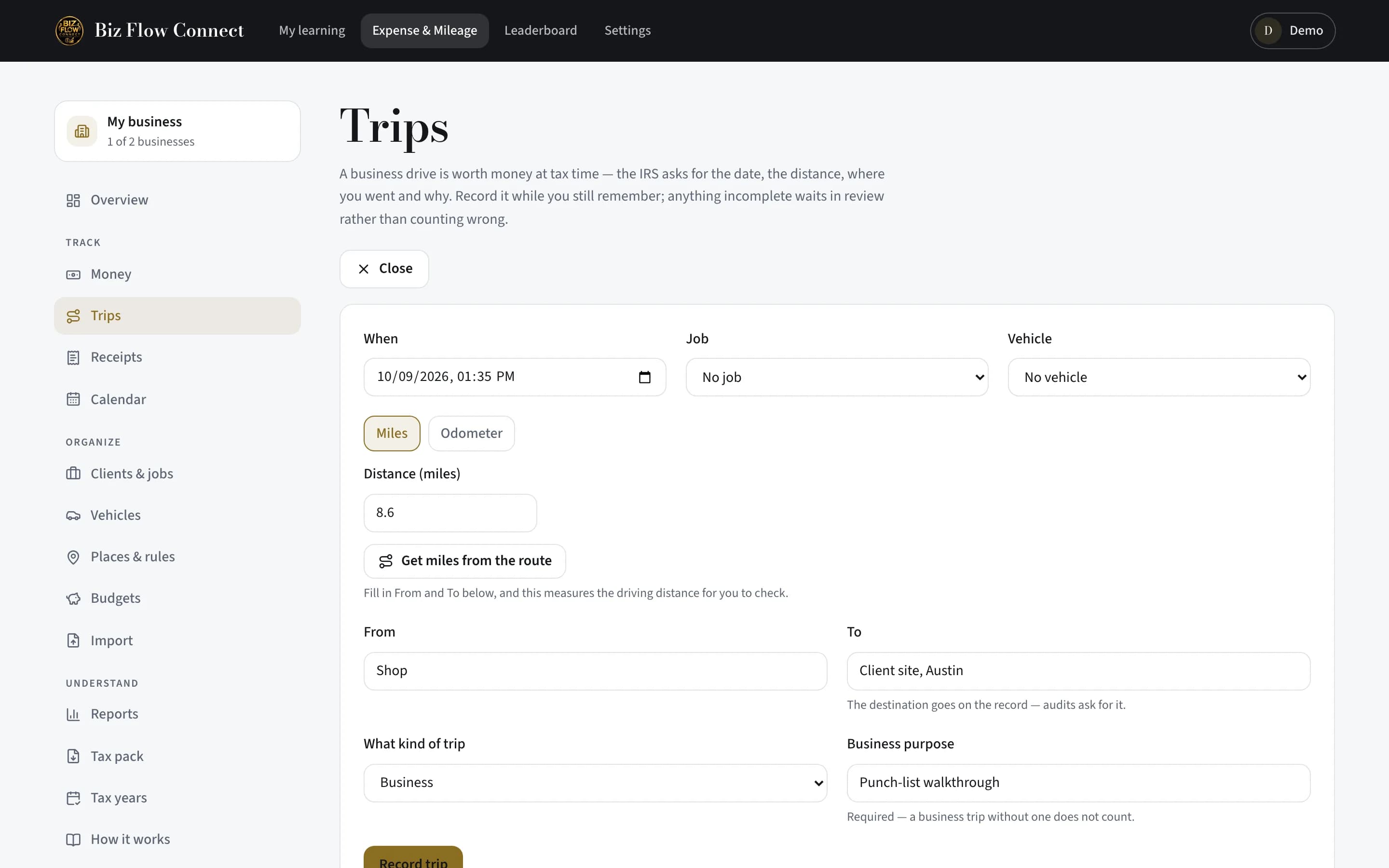
On the website, open Trips and click "Record a trip". The form works the same way — Miles or Odometer, From and To, the kind of trip and its purpose. Trips recorded on either surface appear on both.
Still stuck?
Email supportRelated guides
Start with the MasterClass
Practical, educational instruction for entrepreneurs and business professionals — with every deliverable, policy, and access period stated before you buy.