

Turn on automatic drive detection
Switch on background drive detection and grant every permission it needs — location set to Always, precise location, motion, and battery access.
Tracking drives
Turn on automatic drive detection
Switch on background drive detection and grant every permission it needs — location set to Always, precise location, motion, and battery access.
Updated Sep 10, 2026 · 6 steps · 2 min read
Open the Tracking section
Go to the More tab and find the Tracking section at the top. It holds the "Automatic drive detection" switch and everything detection depends on.
Flip the switch and read the sheet
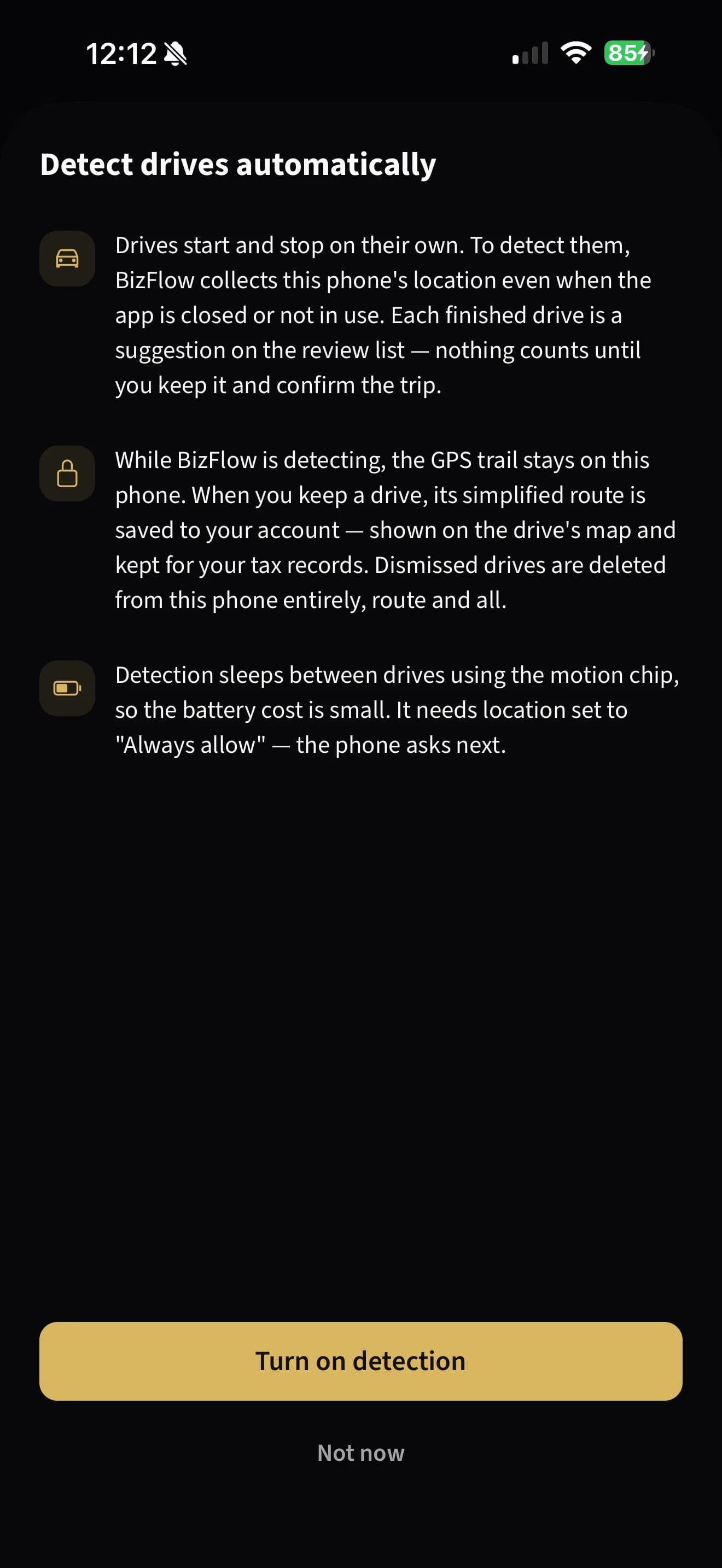
Turn on "Automatic drive detection". A sheet titled "Detect drives automatically" explains exactly what is collected: location even when the app is closed, a GPS trail that stays on your phone, and a simplified route that is saved to your account only when you keep a drive. Tap "Turn on detection".
Allow location — Always
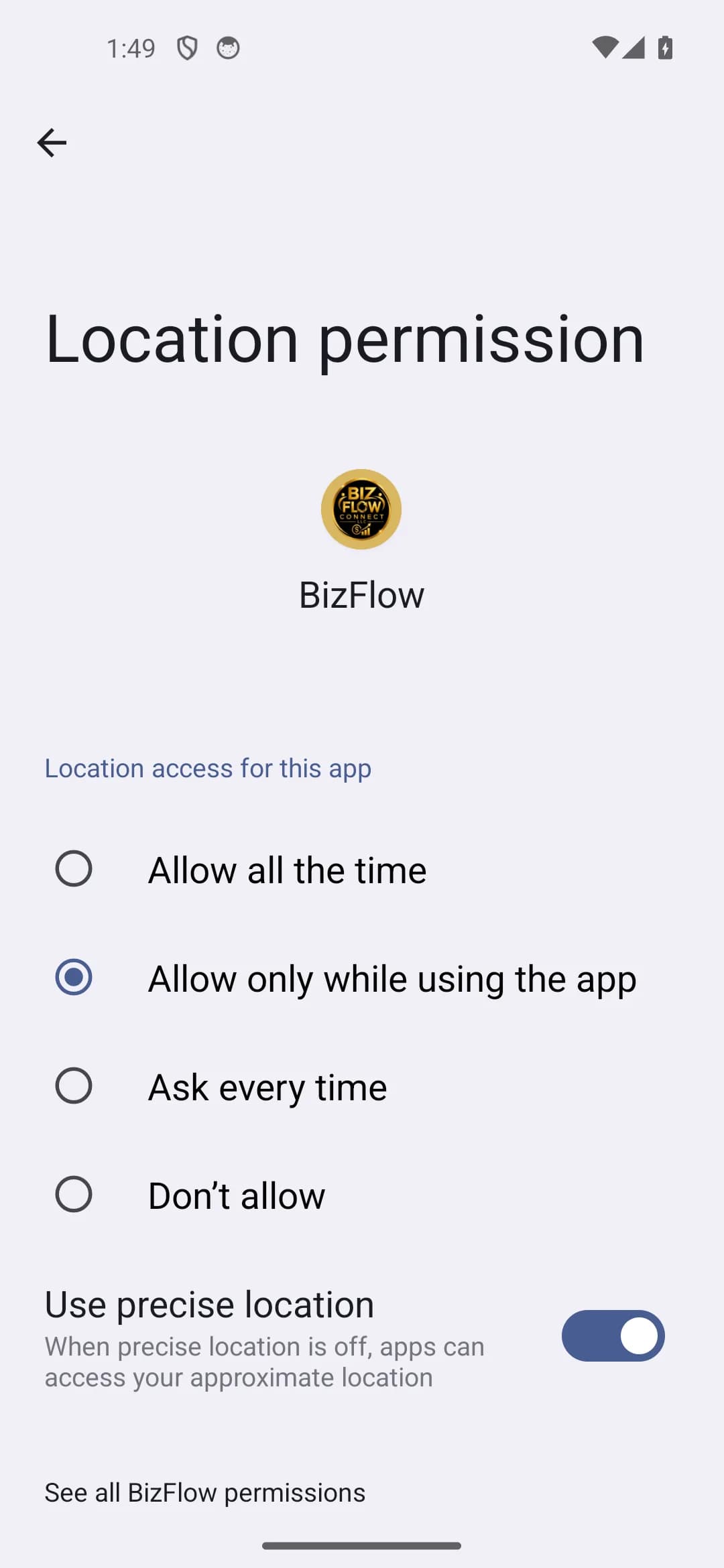
The phone asks for location next. Choose "Always" (on Android this may be "Allow all the time"). "While using the app" is not enough — the app will tell you so and offer "Open Settings" to fix it.
Allow notifications
Right after detection turns on, the app asks to send notifications. Allow them so you are told the moment a drive is found. Drives are still detected if you refuse — you just will not be pinged to review them.
Check every row on the Permissions screen
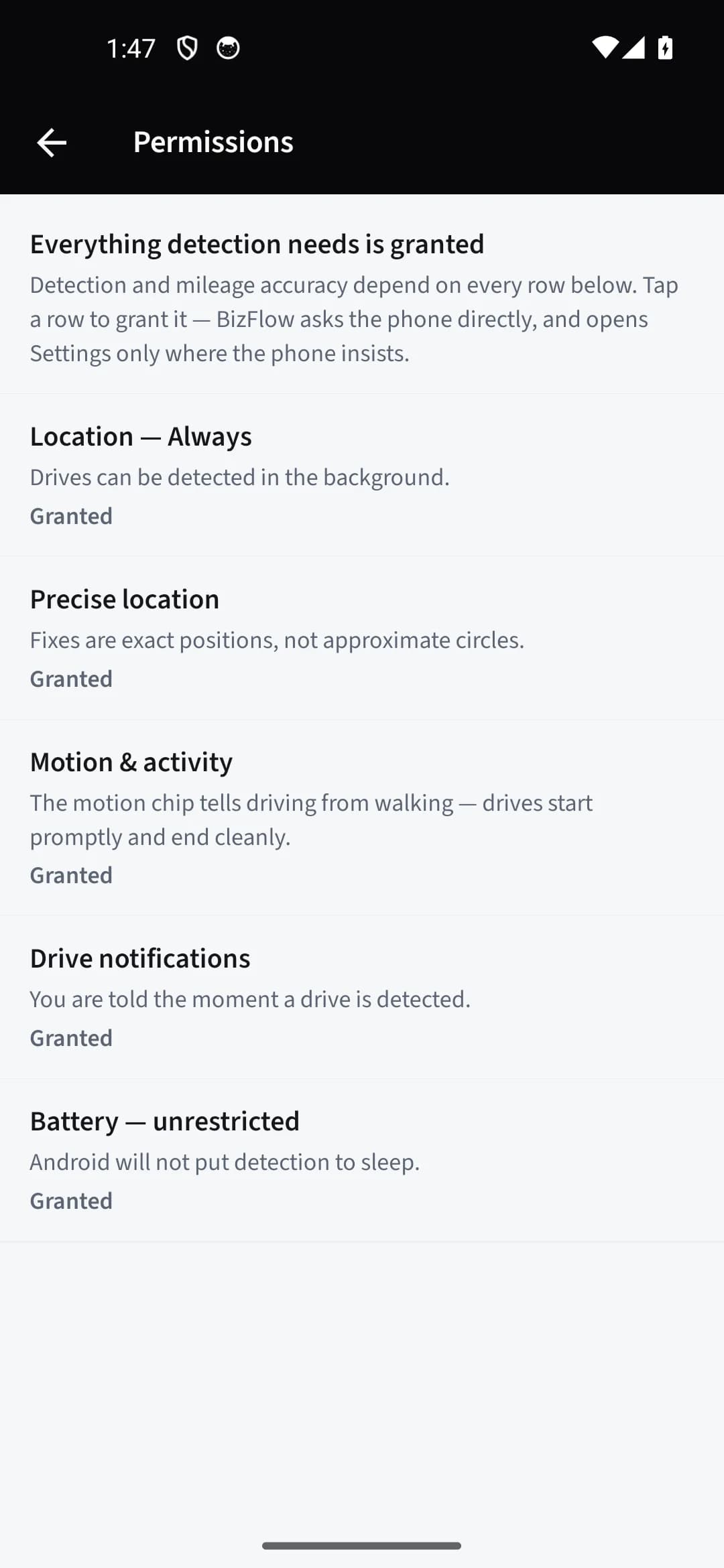
Open "Permissions" in the same Tracking section. Every grant detection needs is listed with its live state: "Location — Always", "Precise location", "Motion & activity", "Drive notifications", and on Android "Battery — unrestricted". Tap any row that is not marked "Granted" — the app asks the phone directly, and opens Settings only where the phone insists.
Android: allow unrestricted battery
On Android, tap the "Battery — unrestricted" row and set BizFlow to Unrestricted. On Samsung, Xiaomi, OnePlus and a few other brands an extra maker-specific row appears with the exact steps for that phone — follow them once and you are done.
Still stuck?
Email supportRelated guides
Start with the MasterClass
Practical, educational instruction for entrepreneurs and business professionals — with every deliverable, policy, and access period stated before you buy.