

Set up route rules
Make a regular route always arrive pre-suggested — "Always Business between Home and Office" — and learn the two things that must be true first.
Places & rules
Set up route rules
Make a regular route always arrive pre-suggested — "Always Business between Home and Office" — and learn the two things that must be true first.
Updated Sep 10, 2026 · 6 steps · 1 min read
What a route rule is
A route rule is a standing answer for one direction between two named places: drives on that route arrive already suggested as Business (or Personal). You still confirm every drive — a rule pre-fills, it never files.
First requirement: both ends must be named places
The app matches routes by your named places, not by raw addresses. If either end of the drive is not inside a named place’s circle, the rule offer can never appear. Name both spots first — see "Name your places".
Second requirement: classify the same route twice
Rules are offered, never typed. Classify a drive between the two places, then classify another drive on the same route, in the same direction, the same way. On the second save the offer appears.
Answer the offer
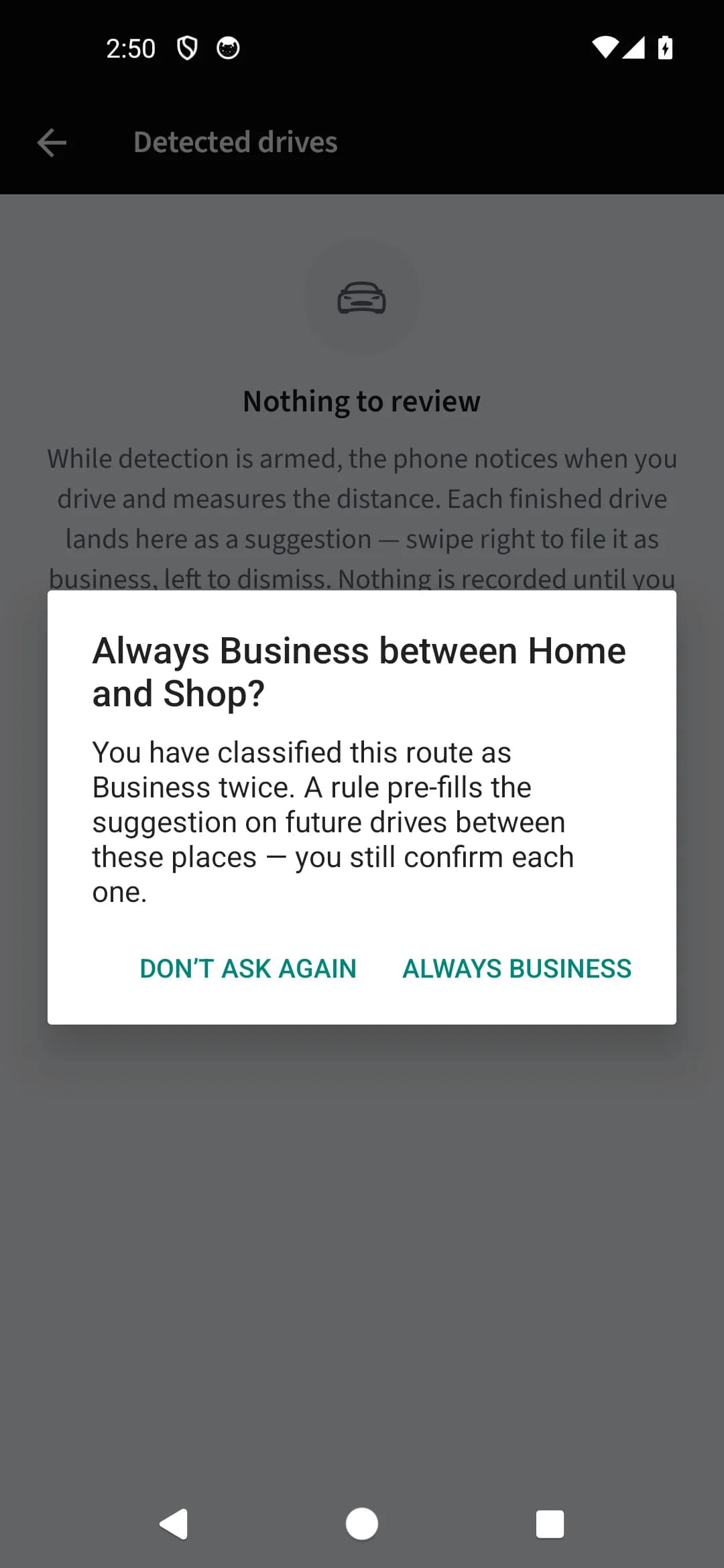
The offer reads like "Always Business between Home and Office?" with two choices: "Always Business" creates the rule, "Don’t ask again" declines it for that route. Either answer is remembered, so the app never nags about the same pair.
Watch the rule work
From then on, drives on that route arrive with "Suggested: Business — your rule Home → Office". A rule outranks your work-hours schedule when both apply. Direction matters: Home → Office and Office → Home are separate rules.
Manage rules and declined offers
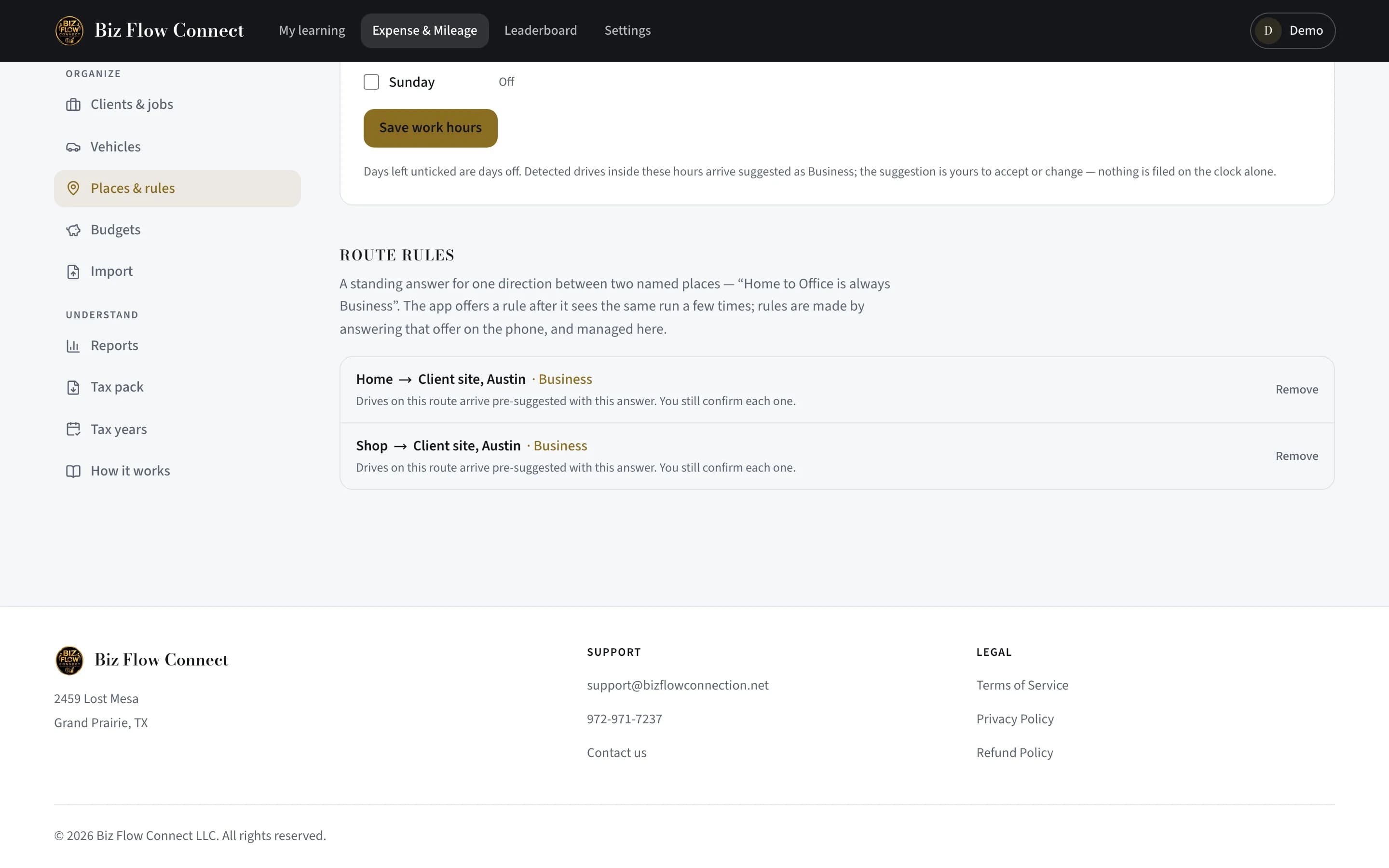
On the phone, "Route rules" under the More tab lists active rules ("Remove" to drop one) and declined offers ("Forget" to let the offer come back). The web’s Places & rules page shows the same list.
Still stuck?
Email supportRelated guides
Start with the MasterClass
Practical, educational instruction for entrepreneurs and business professionals — with every deliverable, policy, and access period stated before you buy.